
Problem
Blender has Arrange Nodes: one click and the node tree is readable. I wanted the same in the Fusion node view, in Fusion Studio and on the DaVinci Resolve Fusion page. The comp below is a transporter effect with 81 tools. A script built it, so the tools were placed wherever the script put them, with two MediaIns left far away.
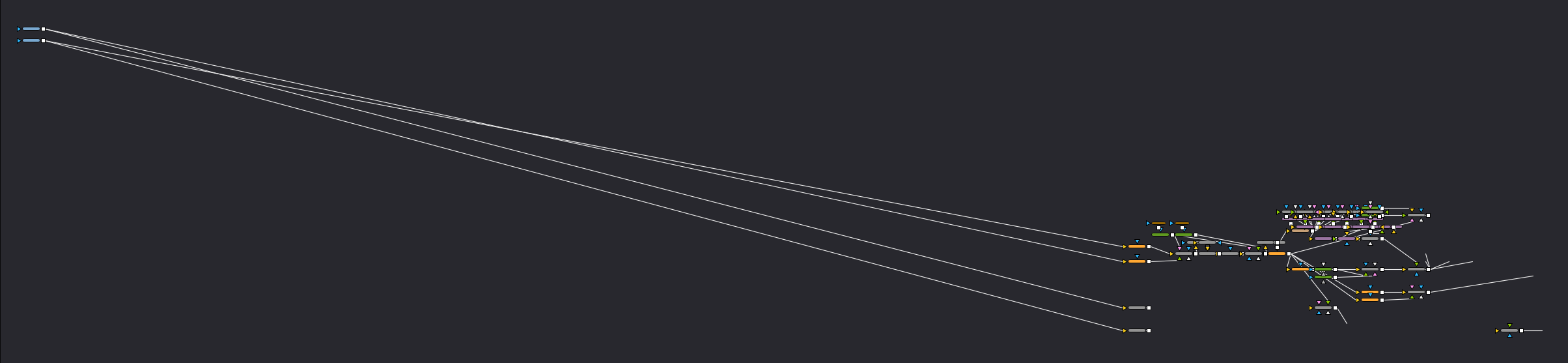
One run of Arrange Nodes Horizontal later:

How the layout works
It is a layered (Sugiyama) layout, the same family of algorithm Blender uses. Every tool gets a column and sits right before its nearest consumer. Crossing reduction runs barycenter sweeps and adjacent swaps. Then tools move level with their main input where the column has room, so the main image path comes out straight. Foreground inputs go one row above, masks one row below.
The layout is plain Lua 5.1 with no Fusion calls, so I can test it offline against real and random graphs. A thin layer around it reads the comp and moves the tools, and each run is one undo step.
Long links
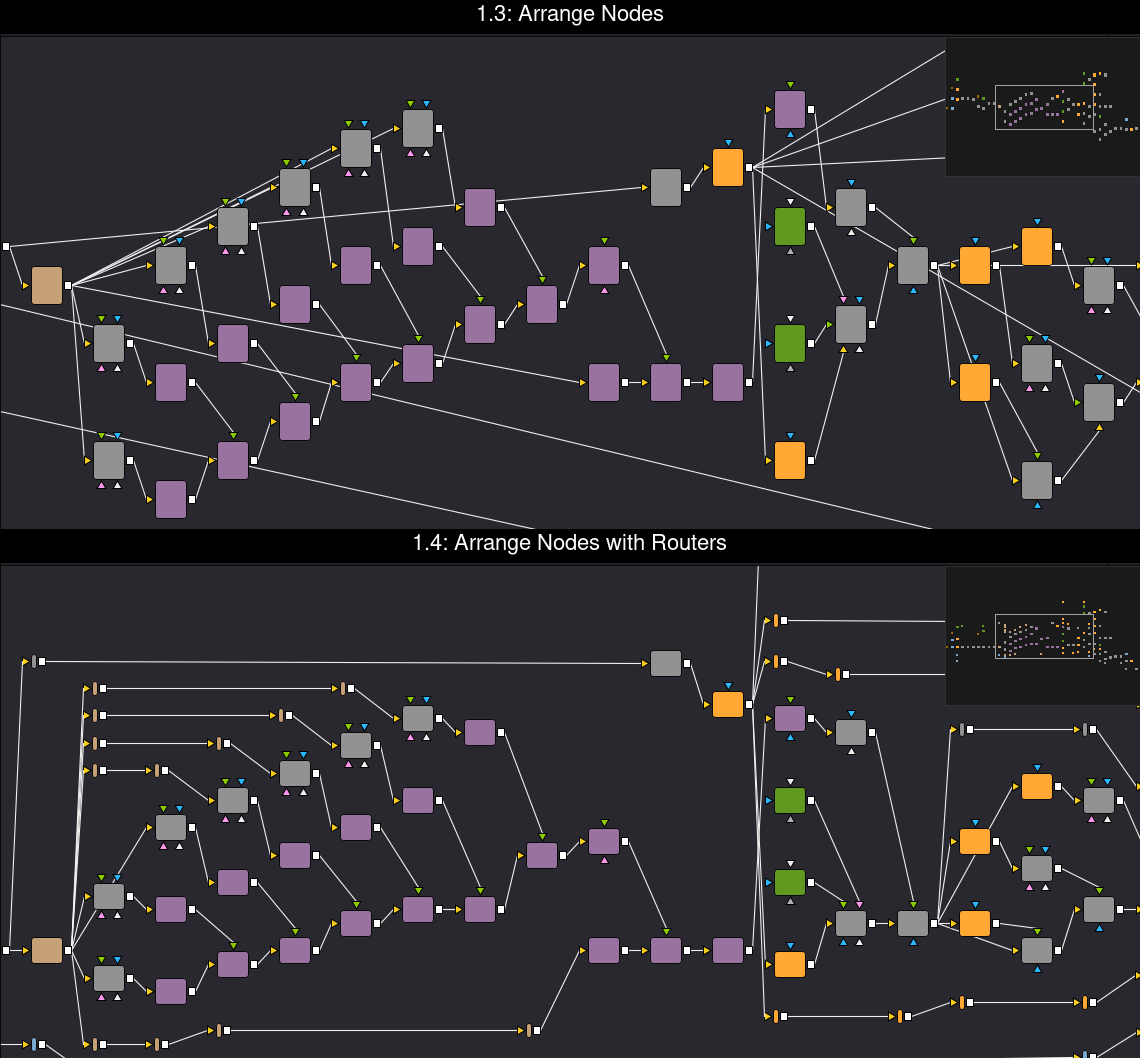
Fusion draws links as straight lines, so a link that skips several columns can pass behind tiles. Arrange Nodes with Routers
runs those links level through PipeRouters placed in the gaps between tiles. Across my test graphs, links behind tiles went from
47 to 24 and drawn crossings from 41 to 31. The routers are named NARouter1, NARouter2 and so on. A re-run replaces them,
and plain Arrange Nodes removes them and wires the links directly again.
What the forum found
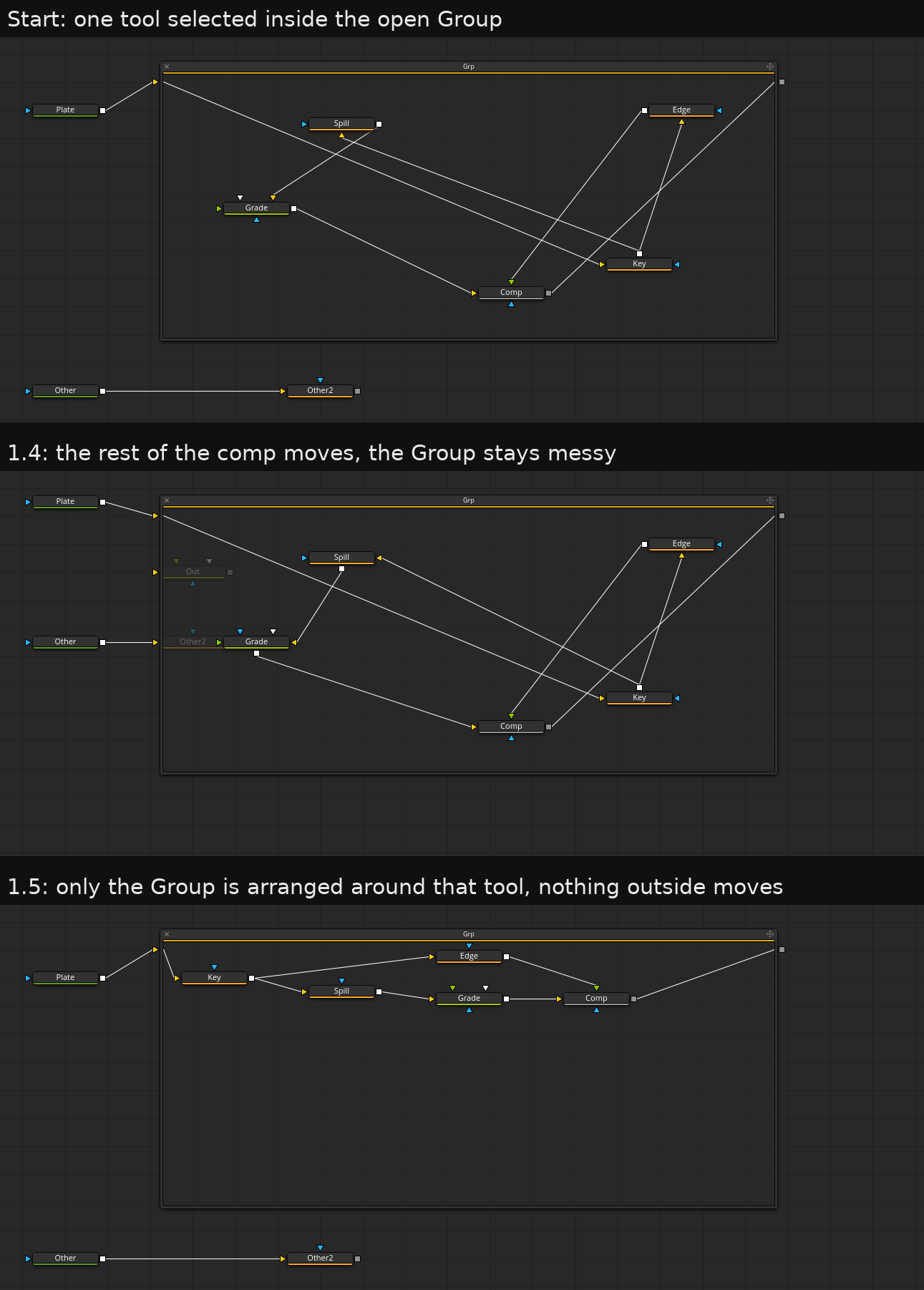
I posted it on We Suck Less, and people there hit things I hadn't. The best one: select tools inside a Group, run the script, and it arranged everything except the Group. It treated the selection as the Group's tile, counted one selected tile, and fell back to the whole comp. That was the opposite of what anyone wants, and 1.5 fixes it.
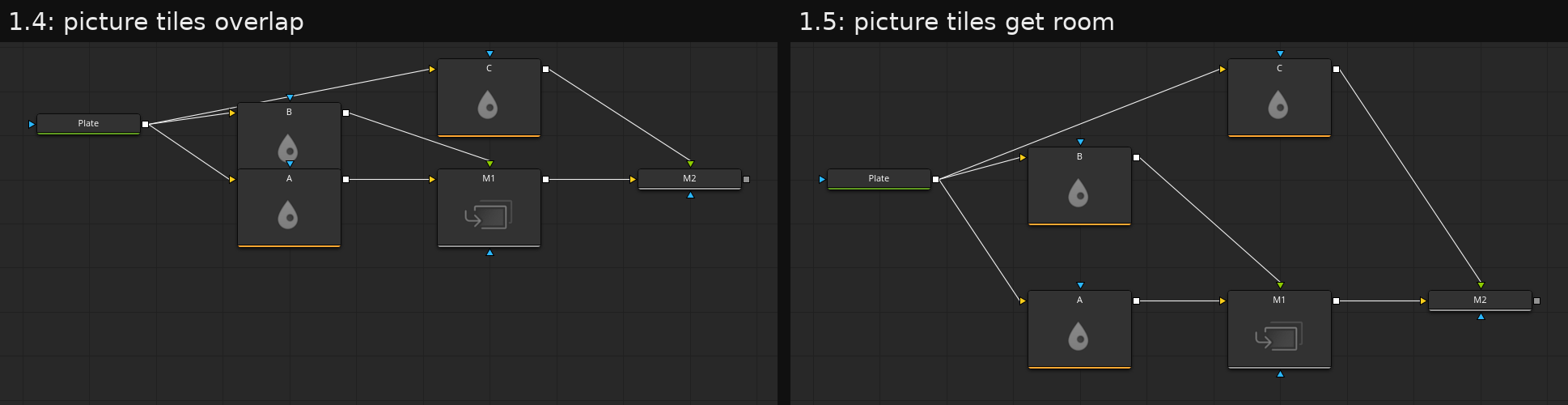
The other reports became features. Tiles showing a thumbnail are much taller than plain ones and overlapped their neighbours,
so they now get room for their height. A new dialog sets the direction (right, left, down or up), the spacing and routers,
so it doesn't need a script per direction. Align Selection puts selected tools in one evenly spaced row or column, an idea that came from
someone showing ar_AlignNodes from aturtur's scripts.
What a Fusion script can't do
Most of the odd code is working around the scripting API:
AddToolandPastealways create tools at the top level, even with a tool inside a Group active. So there are no routers inside a Group.- An Underlay's size only exists in its saved settings. To resize one, the script deletes it and pastes a copy with a new size. Inside a Group that copy would land outside, so Underlays there stay put.
- A Group's open frame can't be resized or panned from a script, so tools can land outside it. I measured how Size, Offset and Scale map to what the frame shows, and the Console now says how many tools are out of view.
- A tile with a picture grows down from its position, not around it, and I found no call that gives a tile's size. I measured that from screenshots too.
Install
This repo works as a Reactor repository. Add it inside Repos = { ... } in Reactor.cfg, then install Node Arrange from Scripts > Flow:
NodeArrange = {
    Protocol = "GitHub",
    ID = "ra100/fusion-node-arrange",
},
You can also copy the files by hand, and the README lists the folders. Scripts can call it directly:
local NA = require("NodeArrange")
NA.run(comp, { direction = "left", spacing = 1.5 })
NA.align(comp, { axis = "column", gap = 2 })
Conclusion
So far it's only tested on Fusion Studio 21 on Linux. Resolve, macOS and Windows are untested, and the thumbnail spacing has only seen icon tiles, not rendered pictures. Comps where the layout comes out wrong are welcome in the issues. The idea of treating Groups and Macros as single tiles comes from NodeAlign by Stefano / Prismanet.
I did this together with Claude Code. It wrote the code and the tests and ran them against Fusion Studio on my machine. I decided what to build, from my own comps and the forum feedback.